
IT services
Backup and disaster recovery in Melbourne
Backup and disaster recovery for Melbourne businesses: automatic, off-site and tested, so you know exactly how quickly you can recover.
A backup is only as good as its last restore
Plenty of businesses have a backup. Far fewer have one that's been tested. Drives fill up, jobs fail quietly, and Microsoft 365 data often isn't backed up at all, because people assume Microsoft does it for them.
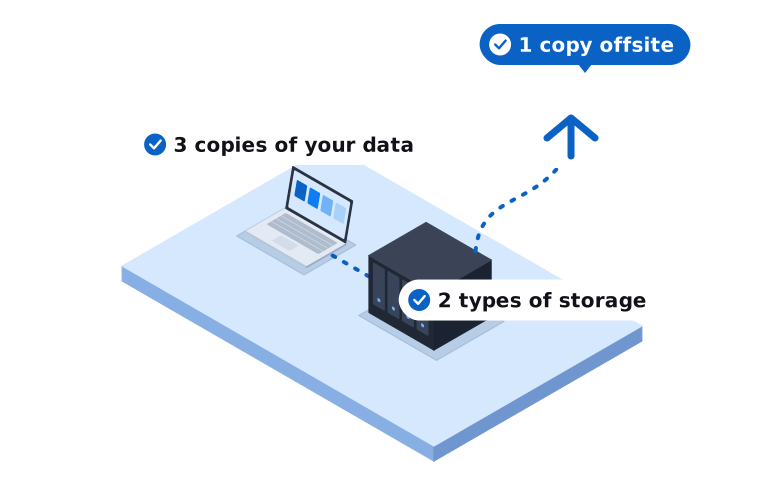
We set up backup and disaster recovery that covers your computers, servers and Microsoft 365, stores copies off-site and gets tested regularly. If a laptop is stolen, a server dies or ransomware strikes, there's a plan and we follow it.
What's covered
- Automatic backups of servers and key computers
- Microsoft 365 backup for email, OneDrive and SharePoint
- Off-site copies kept separate from your network
- Backup monitoring and failure alerts
- Regular test restores, documented
- A disaster recovery plan written for your business
- Fast file and mailbox restores on request
- Ransomware recovery support
We come on-site across our service areas in Melbourne's south east and West Gippsland, from our Narre Warren base.
Why tested backups matter
Proof it works
Regular test restores mean you find problems on a quiet Tuesday, not in the middle of a crisis.
Safe from local disasters
Off-site copies survive fire, theft, flooding and ransomware that hits your office.
Know your recovery time
You'll know how long it takes to get each system back, so you can plan around it.
How we set up your backups
Work out what matters
We list your systems and data and agree how much you can afford to lose and how fast you need it back.
Back it up properly
Automatic backups are configured with off-site copies and alerts if anything fails.
Test and review
We run test restores, document the results and update the plan as your business changes.
Common questions about backup and disaster recovery in Melbourne
Something else on your mind? Call 03 9970 9107.
Doesn't Microsoft back up our Microsoft 365 data?
Microsoft keeps the service running, but deleted or overwritten data is only recoverable for a limited time. A separate Microsoft 365 backup protects you from accidental deletion, ransomware and departing staff.
How often should backups run?
Most businesses back up at least daily, and critical systems more often. We'll recommend a schedule based on how much data you can afford to lose.
What happens if we get hit by ransomware?
We isolate the affected systems, check the backups are clean and restore your data in priority order, so the most important systems come back first.
Find out if your backups would actually work
Book a free, no-obligation IT review and we'll recommend the right next step for your business.