
Home IT support
Scam and fraud recovery
If you've been scammed, or someone has been on your computer, you aren't alone and it's not a sign you've done anything foolish. Scams catch careful people every day.
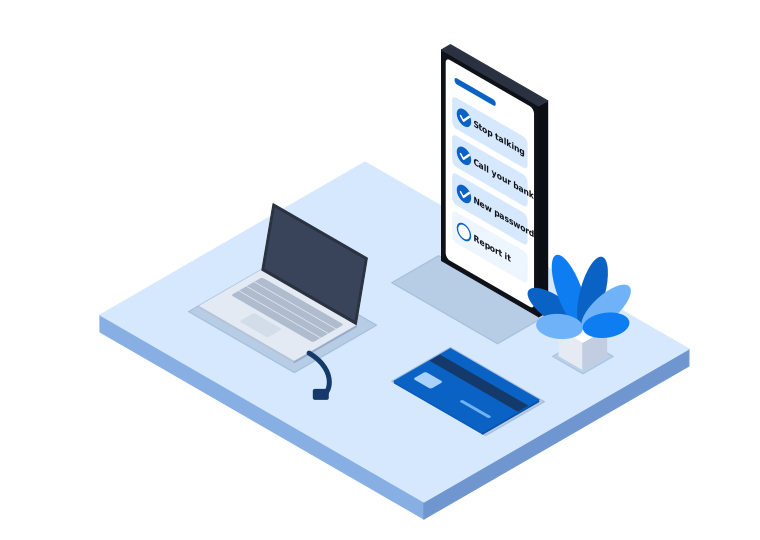
Calm, practical help after a scam
We'll help you secure your computer and your accounts, one step at a time, and make sure you know who else to call.
Anyone who has paid a scammer, shared passwords or card details, or let someone connect to their computer after a phone call or pop-up.
What's included
- Checking your computer for remote access programs
- Removing anything the scammer installed
- Helping you change passwords from a safe device, starting with email
- Turning on two-step verification for your accounts
- Checking your email for forwarding rules the scammer set up
- Setting up your computer so it's safe to use again
- Showing you how to spot the follow-up scam
We come on-site across our service areas in Melbourne's south east and West Gippsland, from our Narre Warren base.
How we help you feel safe again
A safe computer
We remove anything the scammer left and check it's safe to use.
Secure accounts
We help you change passwords from a safe device and turn on two-step verification.
A clear next step
You'll know who to call and what to watch out for.
Who else to call
These organisations can do things we can't. CBI Technologies isn't affiliated with any of them.
-
Your bank
Call first if you've paid money or shared card details. Use the number on your card or the bank's official website.
-
Scamwatch
Run by the National Anti-Scam Centre. Report scams here, even near misses.
Visit Scamwatch -
ReportCyber
Run by the Australian Signals Directorate. Use it if you've lost money or information online.
Visit ReportCyber -
IDCARE
Free identity and cyber support, on 1800 595 160. Especially useful if you've handed over identity documents.
Visit IDCARE
How we help
We listen first
We start by listening. We need to know what happened and when, and there's no judgement.
We explain what we find
We go through each step with you at a pace that suits you, and we explain what we're doing and why.
We keep it to what you need
We focus on what you need to feel safe again, and we won't add anything you don't need.
Related services
Common questions after a scam
Something else on your mind? Call 03 9970 9107.
What should I do first?
Stop talking to the scammer. If they're still connected to your computer, turn off the Wi-Fi or unplug the network cable and shut it down. Then call your bank if you've paid money or shared card details.
Can you get my money back?
No, and be wary of anyone who says they can. Your bank is the one to call about payments. We help secure your computer and accounts.
Someone offered to recover my money for a fee. Is that real?
Treat it as another scam. People who have been scammed are often targeted again, and legitimate agencies don't cold call offering to get your money back.
Is my computer safe to use now?
Don't use it for banking or email until it has been checked. We can look at it and tell you when it's safe.
Talk to someone who can help
Call us and we'll take it one step at a time.