
Home IT
Been scammed? What to do in the first hour
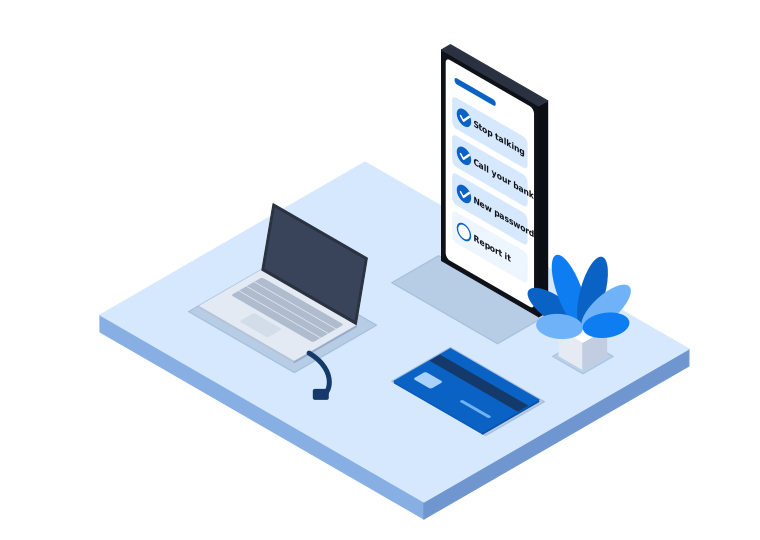
If you’re reading this because something has just gone wrong, take a breath. Scams catch careful, switched-on people every day. The steps below are in order of urgency, so start at the top and work down.
1. Stop talking to the scammer
Hang up, stop replying, and don’t answer if they call back. Scammers often keep the pressure on by saying your account will be locked or that police are involved. That pressure is part of the scam.
If they’re still connected to your computer (you’ll often see the mouse moving on its own, or a program like AnyDesk or TeamViewer open), turn off your Wi-Fi or unplug the network cable. Then shut the computer down. Don’t use it for banking or email until it has been checked.
2. Call your bank
Do this as soon as possible if you’ve paid money, shared card details, or logged into internet banking while the scammer was watching. Use the number on the back of your card or on the bank’s official website, not a number the scammer gave you.
Tell the bank exactly what happened and when. They may be able to stop or recall a payment if you’re quick. If you used a card, ask them to cancel it and send a new one.
If you paid with gift cards, crypto, or a money transfer service, contact that provider straight away as well.
3. Change your passwords from a safe device
Use a different device that the scammer hasn’t touched, such as your phone or another computer. Change passwords in this order:
- Your email account (it’s the key to resetting everything else)
- Internet banking
- myGov, if you use it
- Any account you logged into during the scam
- Any other account that used the same password
Turn on two-step verification (sometimes called multi-factor authentication) wherever it’s offered. It means a stolen password on its own isn’t enough to get in.
4. Get free help from IDCARE
IDCARE is Australia and New Zealand’s national identity and cyber support service. Their case managers can help you work out what’s at risk and put together a response plan, and it costs you nothing. Call them on 1800 595 160 or visit idcare.org.
They’re especially useful if you’ve handed over identity documents like your driver licence, passport or Medicare card.
5. Report it
Reporting helps the authorities spot trends and warn other people. It also gives you a reference number, which banks sometimes ask for.
- Scamwatch (scamwatch.gov.au), run by the National Anti-Scam Centre. Report every scam here, even near misses.
- ReportCyber (cyber.gov.au/report), run by the Australian Signals Directorate. Use this if you’ve lost money or information online. Reports are passed on to police.
- Services Australia, if the scam involved myGov, Medicare or Centrelink.
- The platform, if the scammer contacted you through Facebook, Marketplace or another site.
6. Watch for the follow-up scam
People who have been scammed are often targeted again. A common one is a call from someone claiming they can recover your lost money for a fee. Legitimate agencies don’t cold call offering to get your money back. If someone does, hang up.
7. Get the computer checked
If the scammer had remote access, assume they could have installed something. That might be a program that lets them back in later, or software that records what you type. Running a quick antivirus scan isn’t enough to be confident it’s clean.
When we check a computer after a scam, we look for remote access tools and anything set to start automatically, review browser extensions and saved passwords, and make sure security software is working and up to date. Sometimes the safest option is to back up your files and reinstall Windows or macOS from scratch. We’ll tell you which one we’d recommend and why.
Signs it might be a scam next time
Most of the scams we help people recover from follow a familiar pattern:
- A pop-up or phone call says your computer has a virus and gives you a number to ring
- Someone claims to be from Microsoft, Telstra, NBN Co, your bank or the ATO and asks to connect to your computer
- You’re told to keep the call secret, or that you’ll be in trouble if you hang up
- They ask you to pay with gift cards, crypto or a bank transfer to an account you don’t know
Microsoft and your bank won’t call you out of the blue asking to access your computer. If you’re unsure, hang up and call the organisation back on a number you’ve found yourself.
Need a hand?
If you’re in Melbourne’s south east or West Gippsland and you’ve been scammed, call us on 03 9970 9107. We can check your computer on-site or remotely and help you secure your accounts. We’ll keep things calm and explain what we find in plain English.
We’re not a government agency or your bank, so please contact them first using the steps above. We look after the technology side.
Need a hand with this?
Tell us what's going on. We'll explain your options in plain English.