
Business IT
Why Multi-Factor Authentication (MFA) Is Essential for Your Security
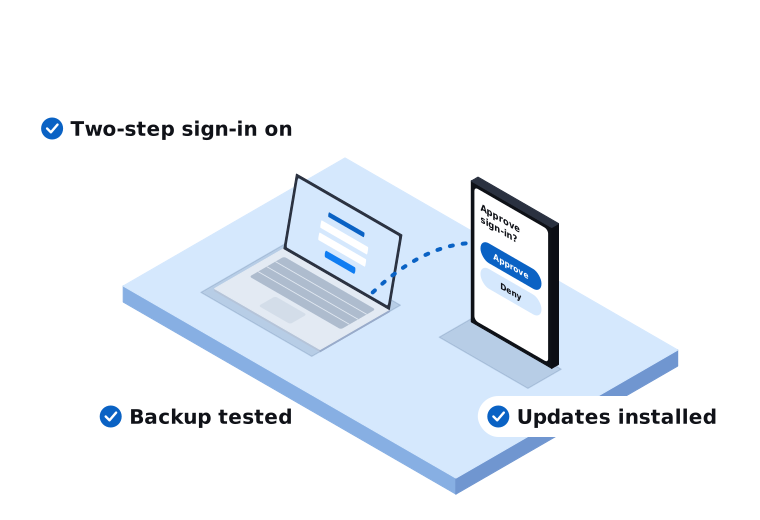
In today’s digital world, passwords alone are no longer enough to protect your sensitive information. Data breaches, phishing attacks, and identity theft are on the rise, and cybercriminals are becoming increasingly sophisticated. That’s where Multi-Factor Authentication (MFA) comes in: it adds an extra layer of protection to your accounts, making it significantly harder for attackers to gain access, even if they have your password.
What is multi-factor authentication?
MFA requires users to provide two or more verification factors to access an account or system. These typically fall into three categories:
Something you know
A password or PIN.
Something you have
A mobile device, security key, or authentication app.
Something you are
A fingerprint or facial recognition.
By combining two or more of these factors, MFA drastically improves security compared to using a password alone.
Key benefits of MFA
-
Stronger security: even if a hacker steals your password, they can’t get in without the second factor, often a one-time code from an app like Microsoft or Google Authenticator
-
Reduces the risk of data breaches: according to Microsoft, MFA blocks over 99.9% of account compromise attacks
-
Protects sensitive information: from financial records to customer data, especially important in healthcare, finance, and legal
-
Helps with regulatory compliance: many industries require MFA under standards like GDPR, HIPAA, PCI-DSS, and ISO 27001
-
Boosts customer and employee trust: prioritising security sends a clear message that data is being protected
-
Easy to implement: Microsoft 365, Google Workspace, and most platforms now offer built-in MFA that activates in a few steps
Cyber security isn’t optional any more
Multi-Factor Authentication is one of the simplest and most effective ways to protect your digital identity. Whether you’re a small business owner, IT manager, or everyday user, enabling MFA can be the difference between staying safe and falling victim to a cyberattack.
Take action today: review your key accounts and activate MFA wherever possible. If you’re not sure where to start, we can set it up for you. Call us on 03 9970 9107 or send us a message.
Frequently asked questions
Is MFA free to set up?
Usually, yes. Microsoft 365, Google Workspace, and most major platforms include MFA at no extra cost: it’s just a setting that needs to be turned on. Some advanced options, like hardware security keys, do cost extra if you choose to use them.
Can MFA be bypassed?
No security measure is 100% unbeatable, and sophisticated attacks (like prompt-bombing or SIM-swapping) can occasionally get around MFA. But it still blocks the vast majority of automated and opportunistic attacks, which is where most businesses actually get hit.
What’s the best type of MFA to use?
An authentication app (like Microsoft or Google Authenticator) or a hardware security key is stronger than SMS codes, which can be intercepted via SIM-swapping. Any MFA is better than none, but app-based or hardware options are the safer choice where available.
Do I still need MFA if I already use a strong password?
Yes. A strong password protects against guessing, but it doesn’t protect against phishing, data breaches, or credential-stuffing attacks where your password is stolen outright. MFA is the backup that catches you when the password itself fails.
What happens if I lose the device I use for MFA?
Most platforms let you set up backup codes or a secondary verification method in advance: it’s worth doing this when you first enable MFA, not after you’ve already lost access. If you get locked out, we can help you regain access to your accounts.
Not sure your accounts are properly protected?
We’ll set up MFA across your business in a way that’s simple for your team, not a hassle.
Need a hand with this?
Tell us what's going on. We'll explain your options in plain English.